
On November 10, 2026, OpenAI launched Businesses in ChatGPT, a beta that lets businesses claim their profile inside ChatGPT. It runs through a new dashboard called Business Hub, where you can update your details, add products, and see how often ChatGPT mentions you. With ChatGPT reaching 1.2 billion people every week, the short version is this: if ChatGPT talks about your business, you can now check what it says and correct it. We claimed Soro’s own profile on launch day, so here’s how it works, what it changes for your visibility, and what to do next.
What Is Businesses in ChatGPT?
Think of it as Google Business Profile, but for ChatGPT. And it matters more than it might sound: in BrightLocal’s 2026 survey of 1,002 US consumers, 45% had used ChatGPT or another AI tool for local business recommendations, up from 6% the year before.
According to OpenAI’s announcement, Businesses in ChatGPT has 3 parts:
- Your Business Profile. When ChatGPT mentions your business in an answer, people can click through to its profile. Once you claim it, you control the key details: website, description, category, logo, and delivery and return policies. Retailers can also upload a product feed with prices and availability.
- Insights. Business Hub shows how many times ChatGPT mentioned you, how many people clicked through to your website, and "discovery topics" – the themes of conversations where your business comes up.
- Business Agents. An AI chat assistant that answers customer questions using your product and policy info. It runs in a separate, clearly labeled chat, and it’s only available in the US for now.
There’s also a paid layer on top. Businesses can sponsor their agent and use it as the destination for ChatGPT Ads. OpenAI started testing these Sponsored Agents with select US advertisers in September 2026. Sponsored placements are labeled and kept apart from ChatGPT’s regular answers.
How to Claim Your Business in ChatGPT
We went through the whole process with Soro on day one. Here’s what it looks like, step by step.
Step 1: Open Business Hub and Find Your Business
Sign in to ChatGPT and open Business Hub from the sidebar, or go to chatgpt.com/business-hub. Search for your business by name and pick the listing that matches. If you can’t find it, eligible online businesses can add a new one. Local stores and restaurants can currently only claim an existing US listing.
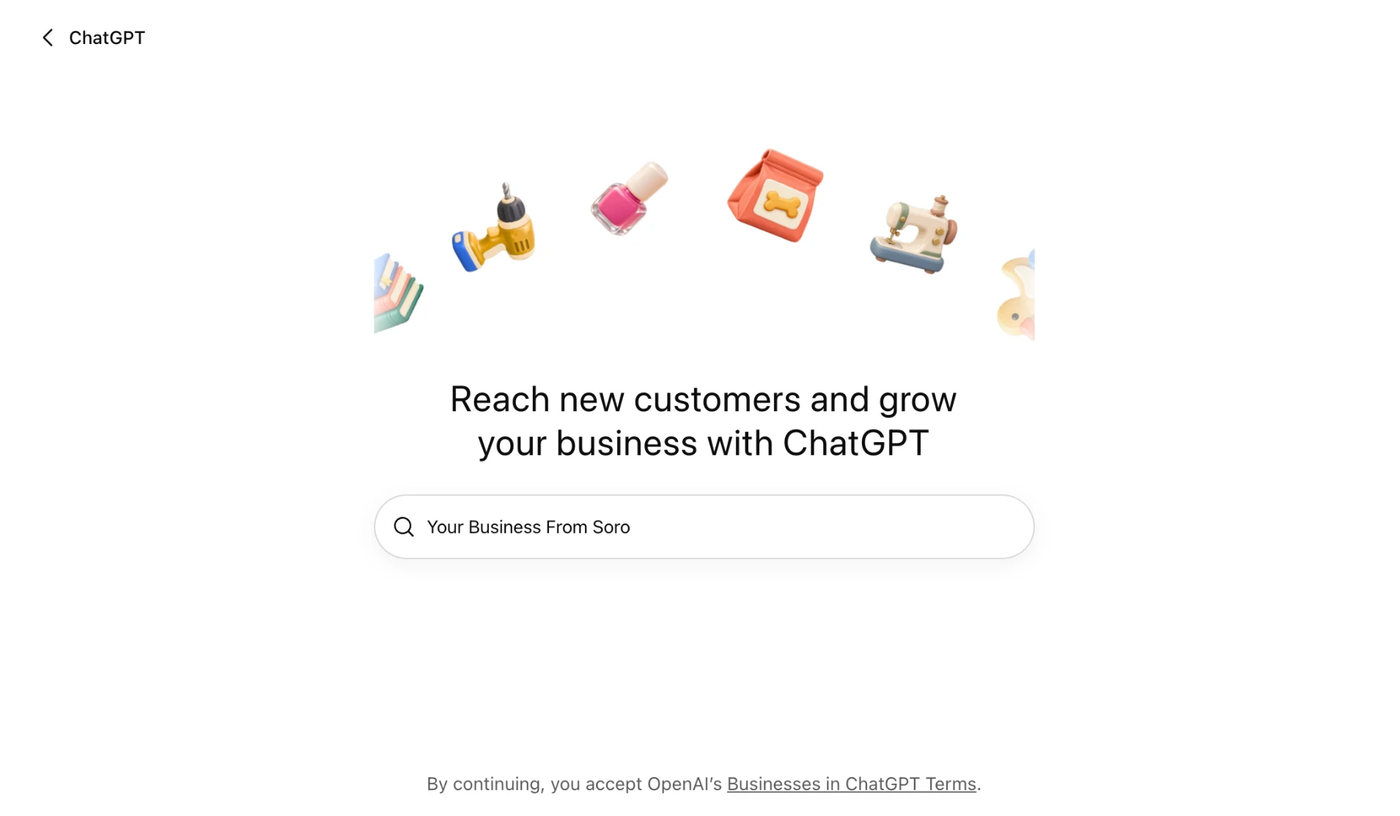
Image source: Soro’s Business Hub in ChatGPT, November 10, 2026
Step 2: Choose How Customers Reach You
Next, ChatGPT asks how customers usually interact with your business: at a physical location, through an online store, or through a service. When we set up Soro, the service option was still marked Coming soon, so service businesses may need to wait a little.
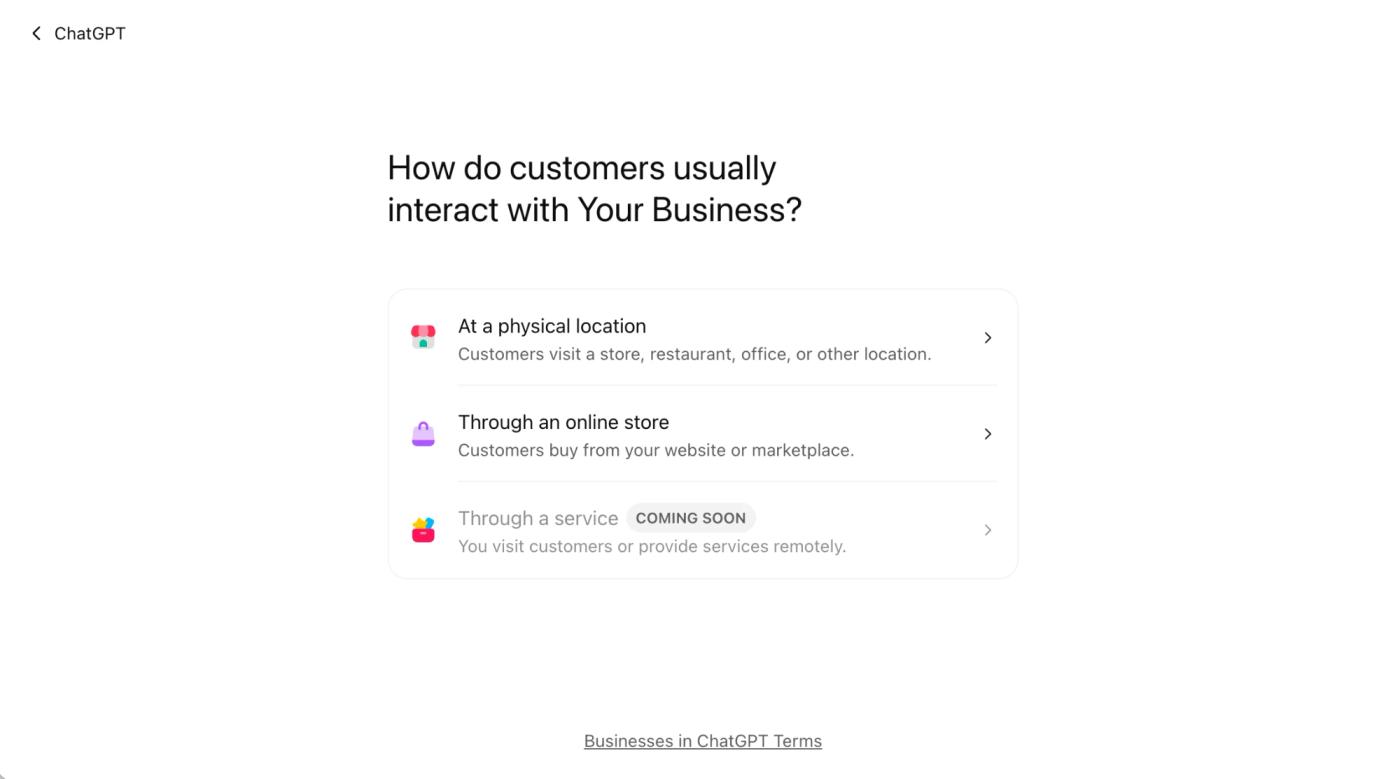
Image source: Soro’s Business Hub in ChatGPT, November 10, 2026
Step 3: Verify the Business
Pick one of the verification methods ChatGPT offers you:
- Business Phone. Get a code by text or automated call.
- Business Email. Get a code sent to the email address linked to your business.
- Website Domain. Add a TXT record to your domain’s DNS settings. If someone else manages your domain, ask them to add it.
- Shopify Store. Log in to the Shopify store you’re claiming.
OpenAI then reviews your claim and emails you a decision, or asks for more information. The full walkthrough is in OpenAI’s help article.
Step 4: Verify Your Identity
This is the step that takes the longest. Until you pass an identity check with Persona, your profile stays in Draft, and you can’t edit your info, see insights, or publish an agent. You’ll need a government-issued ID, and you may be asked for business registration details. Once it’s approved, your profile gets a blue check.
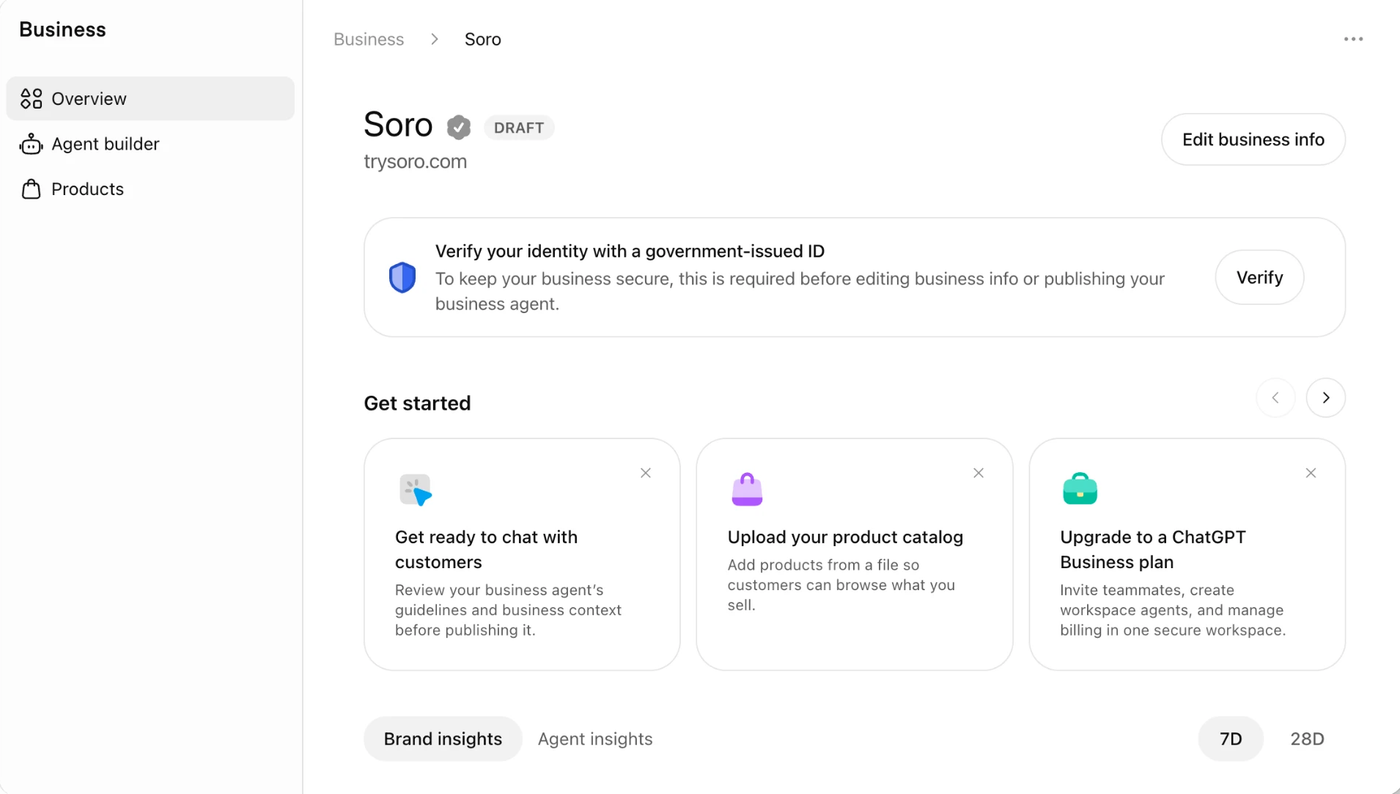
Image source: Soro’s Business Hub in ChatGPT, November 10, 2026
Step 5: Fill In Your Details
Add your website, description, category, logo, cover photo, and delivery and return policies. Keep everything accurate – OpenAI’s Businesses in ChatGPT policy bans misleading claims about prices, availability, or results. OpenAI reviews every change, so updates can take a while to show up in answers.
What You Can Do After Claiming
Once your claim and ID check are approved, your dashboard has 3 main areas:
- Overview. Your profile, plus Brand insights and Agent insights. You can switch between the last 7 and 28 days.
- Products. Upload a product catalog from a CSV file or a hosted feed, or connect Shopify. Shopify merchants are a step ahead here, since eligible products are already in ChatGPT through Shopify Catalog.
- Agent Builder. If you’re eligible, build and test a Business Agent before publishing it. It can explain your products and policies and link to your site, but it can’t take orders, make bookings, or check a customer’s order.
The admin who claimed the business can also add teammates or give an agency access, each with their own ChatGPT account. Business Hub will suggest upgrading to a paid ChatGPT Business plan for a shared workspace, but you don’t need it to claim your profile.
Will Claiming Your Business Help You Rank in ChatGPT?
Not directly, and OpenAI is upfront about it. On its Businesses in ChatGPT page, it states: "Claiming does not guarantee higher placement or sales." ChatGPT keeps making its own independent recommendations, and OpenAI says ads don’t change those answers either.
So why bother? Two reasons:
- Accuracy. ChatGPT may show your business whether you claim it or not, and profiles can include information from other sources. If something about you is wrong out there, claiming is how you correct what ChatGPT has.
- Measurement. Until now, there was no official way to see how often ChatGPT recommends a business. Business Hub is the closest thing yet to a Search Console for ChatGPT.
To our minds, the insights are the most important part of this launch. Here’s the detail most people will miss: for an online business, Business Hub only counts a mention when ChatGPT references your website. Naming your brand alone doesn’t count. For a local business, a mention counts when ChatGPT shows a result for that location.
In other words, the number OpenAI shows you depends on your website’s content, because that’s what ChatGPT cites. Our guide on GEO vs SEO explains how AI engines decide what to cite.
Keep the limits in mind, though. You can’t see which prompts trigger your mentions, and an OpenAI spokesperson told Digiday that share of voice isn’t part of the beta.
Who Can Claim a Business Right Now?
It’s a beta, so not everyone gets in on day one:
- You Need a Website. Claiming is open to eligible businesses with a website, and you must own the business or be authorized to represent it.
- Local Businesses Are US-Only for Now. Local stores and restaurants can only claim an existing US listing. Online businesses can claim where ChatGPT is available and verification is supported.
- Service Businesses May Have to Wait. The "Through a service" setup option was marked Coming soon when we tried it.
- Business Agents Are US-Only. They’re open to eligible ecommerce and online service businesses in the US, and OpenAI reviews each business category before an agent can go live.
- One Brand at a Time. Each brand is managed separately, and claiming your main brand doesn’t claim its locations.
Business Hub vs Google Business Profile
If you already have a verified Google Business Profile, most of this will feel familiar. Here’s how the two compare:
| Google Business Profile | Businesses in ChatGPT | |
|---|---|---|
| Where you show up | Google Search and Maps | ChatGPT answers and your ChatGPT profile |
| Who can claim | Businesses that serve customers in person or in a service area | Eligible businesses with a website (beta) |
| Verification | Video, phone, text, email, or postcard, depending on what Google offers | Phone, email, domain, or Shopify, plus a Persona ID check |
| What you can see | Views, searches, calls, and website clicks | Mentions, website clicks, and discovery topics |
| Paid option | Google Ads and Local Services Ads | ChatGPT Ads and Sponsored Agents |
| Cost to claim | Free | No fee listed |
One doesn’t replace the other. Keep the details on both matching your website, since ChatGPT can draw on other sources too. Our Google Business Profile optimization checklist covers the Google side.
What It Means for Your SEO
This launch doesn’t change what earns visibility. It changes what you can see. Here’s what stands out:
- AI Visibility Is Now Measurable. Google recently started showing AI impressions in Search Console (more on that in our post on Google’s October 2026 AI Overviews changes). Now OpenAI shows mentions and clicks too. Compare both against your actual visits and inquiries, and our guide to SEO metrics that matter helps with the rest.
- Your Website Is What Gets Counted. Since mentions of online businesses are tied to website citations, pages that clearly answer customer questions matter more, not less. Our guide on writing content that ranks covers how.
- Google Still Sends Most of the Traffic. Keep it in proportion. Across 118,671 sites in Ahrefs’ October 2026 data, ChatGPT sent 0.36% of website traffic, while Google sent 24.74%. The same content helps you on both, so you don’t have to pick one.
- Paid Reach Exists, but It’s Separate. ChatGPT Ads and Sponsored Agents are labeled and kept apart from ChatGPT’s own answers. Organic visibility still has to be earned.
What to Do Next
Here’s a to-do list to get your business ready for ChatGPT:
- Claim Your Profile Now. Even if you’re not ready for an agent, claiming puts you in charge of what ChatGPT knows about you.
- Finish the ID Check Early. Your profile stays in Draft until Persona approves it, and reviews take time.
- Match Your Details Everywhere. Use the same name, website, description, and policies as your site and your Google Business Profile.
- Upload Your Products. If you sell online, connect Shopify or upload a product feed so prices and availability stay current.
- Check Your Brand Insights Monthly. Watch mentions, website clicks, and discovery topics. A blank number doesn’t always mean zero – it can mean you haven’t hit the reporting threshold yet.
- Keep Publishing Useful Pages. ChatGPT can only cite pages that exist. If writing consistently is the hardest part, Soro is an option built for that. It automatically researches, writes, and publishes SEO content to your site.
FAQ
Is Businesses in ChatGPT Free?
Yes, for now. OpenAI’s VP of monetization, Benji Shomair, told Digiday that Business Hub and agents are free for now, but didn’t rule out charging later. You don’t need an ads account to claim your business. ChatGPT Ads and Sponsored Agents are paid and separate.
Does Claiming My Business Make ChatGPT Recommend It More?
No. Claiming lets you manage your information, but OpenAI says it doesn’t guarantee more visibility or give you control over ChatGPT’s independent recommendations.
Can I Claim a Local Business Outside the US?
Not yet. Local stores and restaurants can currently only claim an existing US listing. Online businesses can claim where ChatGPT is available, as long as they’re eligible.
What Is a ChatGPT Business Agent?
It’s an AI chat assistant that answers customer questions using your product and policy info. It runs in a separate, labeled chat, can’t take orders or bookings, and is only available to eligible US ecommerce and online service businesses.
Can an Agency Manage My Business Hub Profile?
Yes. The admin who claimed the business can add teammates and give an agency access, each using their own ChatGPT account.