
On October 15, 2026, Google announced five changes to how AI Mode and AI Overviews will work. While some changes are more significant than others, the short version is this: expect more links, placed higher, with more context about where they lead. Some changes are live, while others are in testing. While Google shared no numbers on traffic, here’s what changed and what it means for every small business website, including what you can do about it.
The 5 Changes Google Announced
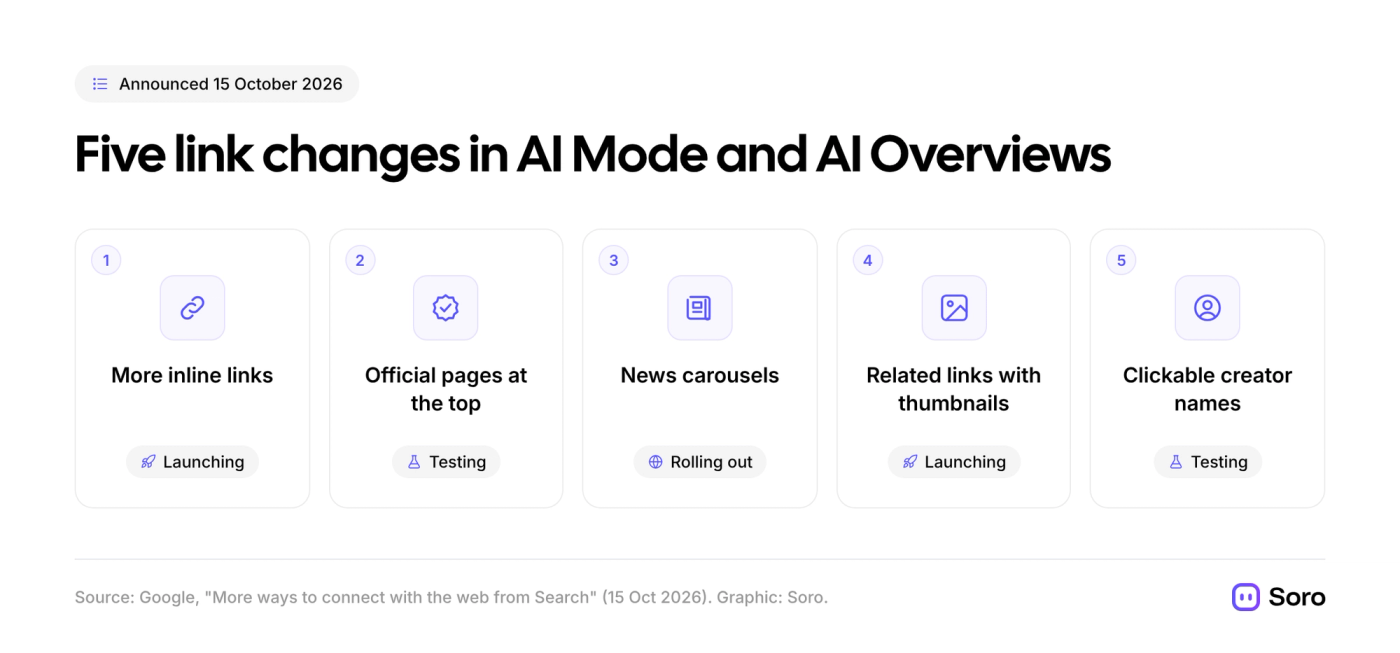
In Google’s written announcement, the internet giant described this new batch of updates as a way to help people "dive deeper and engage with the content and sources you value". Beyond the marketing jargon, 5 key changes are rolling out. Some may never reach you, since they’re in testing, while others could end up becoming a permanent addition to the search experience.
Here are the key items:
Let’s go through them one by one to see what’s what in human terms.
- More Inline Links, Higher Up. These are links, anchored to words of an AI answer, just like a Hyperlink in Word/Google Docs. Google revealed they made increases to the total count of such links and are now showing them higher in responses more often.
- Official Pages at the Top (Test Phase). Google is testing a section at the top of the answer, which explains why each link is useful. They’re testing this because it’s a complex area, usually focused on tasks with one or two right places to go (e.g., a refund, tax form, etc.).
- News Carousels in More Countries. Carousels with relevant and hot updates are rolling out in more countries and languages. They’ll usually highlight each user’s tracked and preferred sources.
- Related Links with Thumbnails. The links on some answers get images and a more clickable design. At the same time, while not particularly game-changing, it might entice casual browsers to click a link.
- Clickable Creator Names (Test Phase). On video results in AI Mode, creator and publisher names can link to their Search profiles.
Here’s a photo example of Official Pages at the Top from Google:
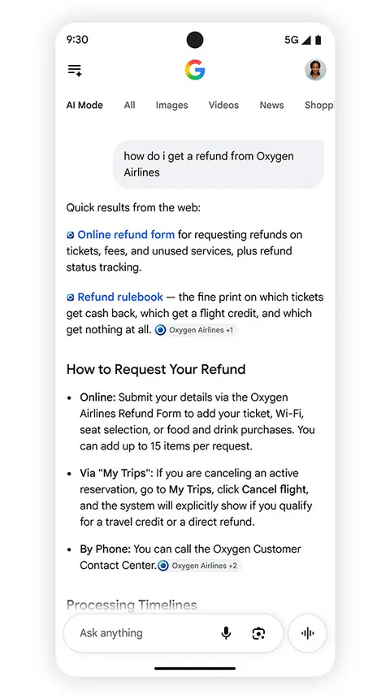
Image source: Google — "More ways to connect with the web from Search"
What It Means for a Small Business Website
Now that you know what is really changing, you should explore what this means for your day-to-day, and what points are worth the most attention.
To our minds, the official-page test is the one to watch. If anyone asks AI Mode how to book with you, check prices, request a refund, or do other things, Google wants to send them to the right page. It’s still testing, but if it does go live, the SEO/GEO rewards for a clear, dedicated page for each task can skyrocket.
Inline links, rewarding pages with clear answers, can offer a lot of overlapping benefits. If you’re writing blogs, polishing product/service descriptions, or working on expanding the array of landing pages, now’s the time to make the switch to a more AI-friendly style:
- Answer questions early in paragraphs and on the pages
- Write in plain words, shorter sentences
- Give Google and AI engines something easy to cite
Our guides on writing content that ranks and GEO vs SEO cover how that works.
Still, Google didn’t say that changes could increase clicks to websites. Treat them as chances to help your business be seen, not a guarantee for a traffic bump.
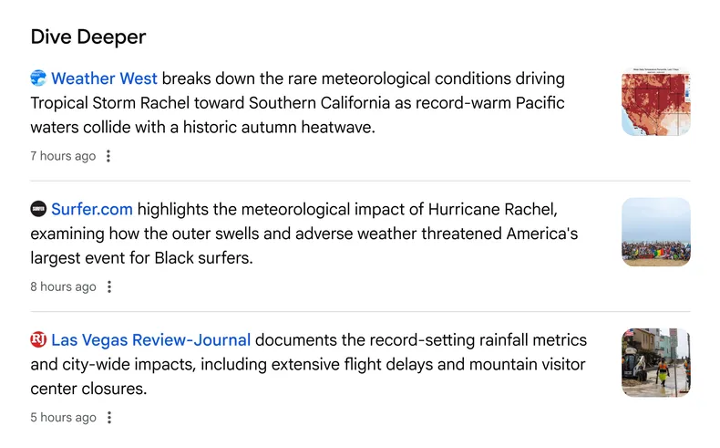
Image source: Google — "More ways to connect with the web from Search"
Do Preferred Sources and Search Profiles Apply to You?
Let’s look at two more updates which may or may not apply to you. If it’s the former, you should know how they can work to benefit your business.
- Preferred Sources – people can choose the sites they want to see more often. Chosen sites will be more likely to appear in the Top Stories section with a “Preferred” badge. The badge is available in AI Mode and AI Overviews, too. Only whole domains or subdomains are eligible, and you can add an optional button to your site. This can be extremely useful, but mostly for timely articles. Google says the number of people using the feature has grown "by more than 7x" since the start of 2026 (Google).
- Search profiles – every creator with 10,000+ followers/subscribers on TikTok, X, YouTube, or Instagram. Currently, it’s only available in the US, Canada, and India. If you’re a small business, you might skip this one unless you have a strong brand on social media or an influencer partner.
What to Do Next
Here’s a to-do list to help your business take advantage of Google’s October 2026 AI changes.
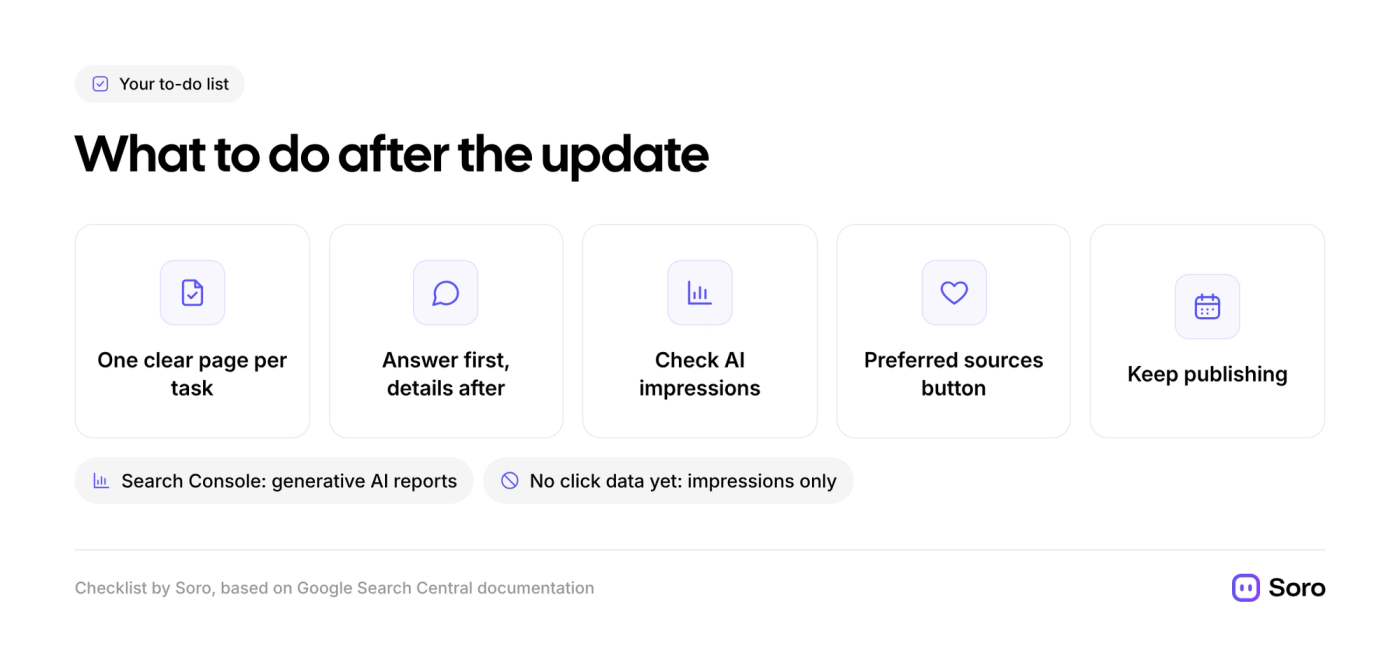
- Create an Individual Page for Each Task. Booking, pricing, contact, returns. Also repeat for each location you operate in, [Booking in X, Contact Us in Y], etc.
- Put the Answer First. When writing descriptions or blogs, answer early, then fill in the details.
- Check Your AI Impressions. Search Console's generative AI performance reports show how often your pages appear in AI Overviews and AI Mode. They show impressions, not clicks, so compare those figures against your visits and inquiries. If that seems too specific, our dive into SEO metrics that matter helps you pick the rest.
- Add the Preferred Sources Button. Only if you publish timely posts or news.
- Keep Publishing Useful Blogs & Pages. AI can only highlight and link to pages that exist. If writing consistently is the hardest part, Soro is an option built for that. It automatically researches, writes, and publishes SEO content to your site.
FAQ
What Did Google Change in AI Overviews in October 2026?
There have been 5 changes: more & more visible inline links, official-pages section (test), wider news carousels, related links with thumbnails, clickable creator names (test).
Will These Changes Bring More Traffic to My Site?
Google doesn’t say. The links will surely be more visible, but no click data was shared, meaning there will be a lot of A/B testing and continuous measurement of visits and inquiries.
How Can I See if My Site Appears in AI Overviews?
Use the generative AI performance reports in Google Search Console. They will show impressions, categorized by page, country, and even device type.