
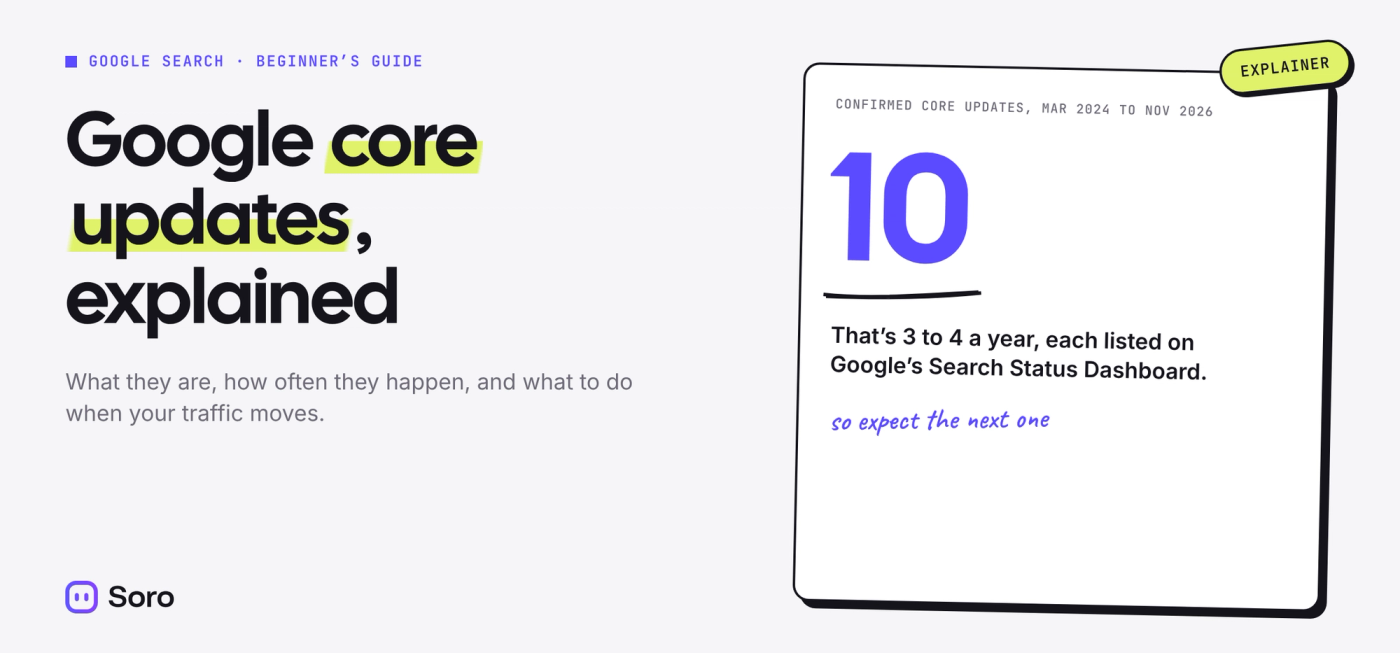
Your calls are down, your Search Console graph dipped, and someone online is blaming “the core update.” If you’re not sure what that means or whether it’s your fault, start here. Google core updates are broad changes to how Google ranks every website, and the latest, the November 2026 core update, started rolling out on November 10, 2026. The short version: a core update reshuffles rankings for everyone, so a drop usually means other pages now look more useful, not that you broke a rule. This guide explains what core updates are, how to tell if one hit your site, and what to do about it.
What Is a Google Core Update?
A Google core update is a significant, broad change to Google’s ranking systems, released several times a year. According to Google’s core updates guide, core updates don’t target specific sites or pages. They reassess how all content is ranked, so any site can move up or down.
Google explains it with a restaurant list. Say you keep a list of your 20 favorite restaurants. A great new place opens and earns a spot, so an old favorite slips to number 21. It didn’t get worse. Something else got better. Core updates work the same way.
Core updates are separate from the many small changes Google makes all the time. Google also runs smaller core updates it doesn’t announce, because they aren’t widely noticeable.
Google Runs 3 to 4 Core Updates a Year
Google confirmed 10 core updates between March 2024 and November 2026 on its Search Status Dashboard. That’s 3 to 4 a year, and most finished rolling out in about 2 weeks.
| Year | Confirmed core updates | Rollout length |
|---|---|---|
| 2024 | March, August, November, December | 45, 19, 24 and 6 days |
| 2025 | March, June, December | 14, 17 and 18 days |
| 2026 | March, May, November | 12 and 12 days; November still rolling out |
The March 2024 update was the outlier at 45 days. Every core update since then has finished in 6 to 24 days.
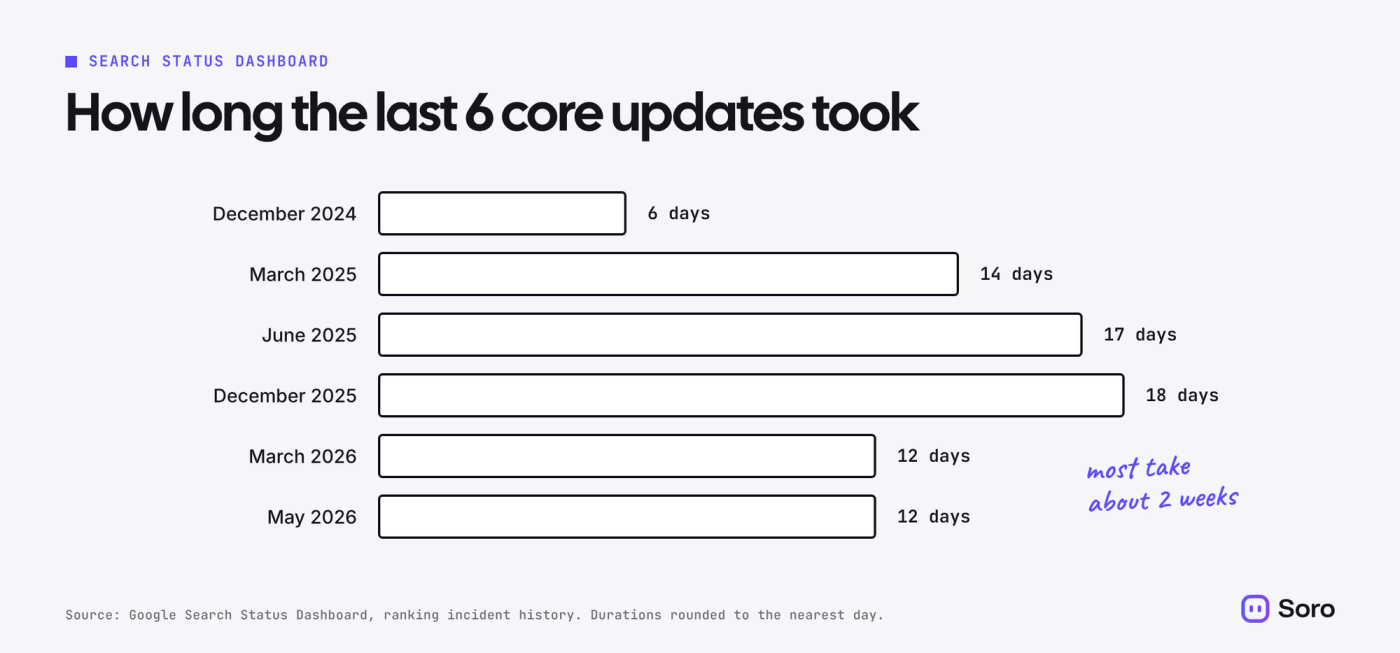
The November 2026 core update fits the pattern. Google says it applies globally and to all languages, and that it may take up to 2 weeks to complete. As of November 15, 2026, the dashboard hasn’t marked it finished.
When to Check Your Traffic After a Core Update
Check your traffic one full week after the rollout ends, not during it. Google’s guide says to wait until the update is complete, wait at least one more full week, then compare that week with the week before the update started.
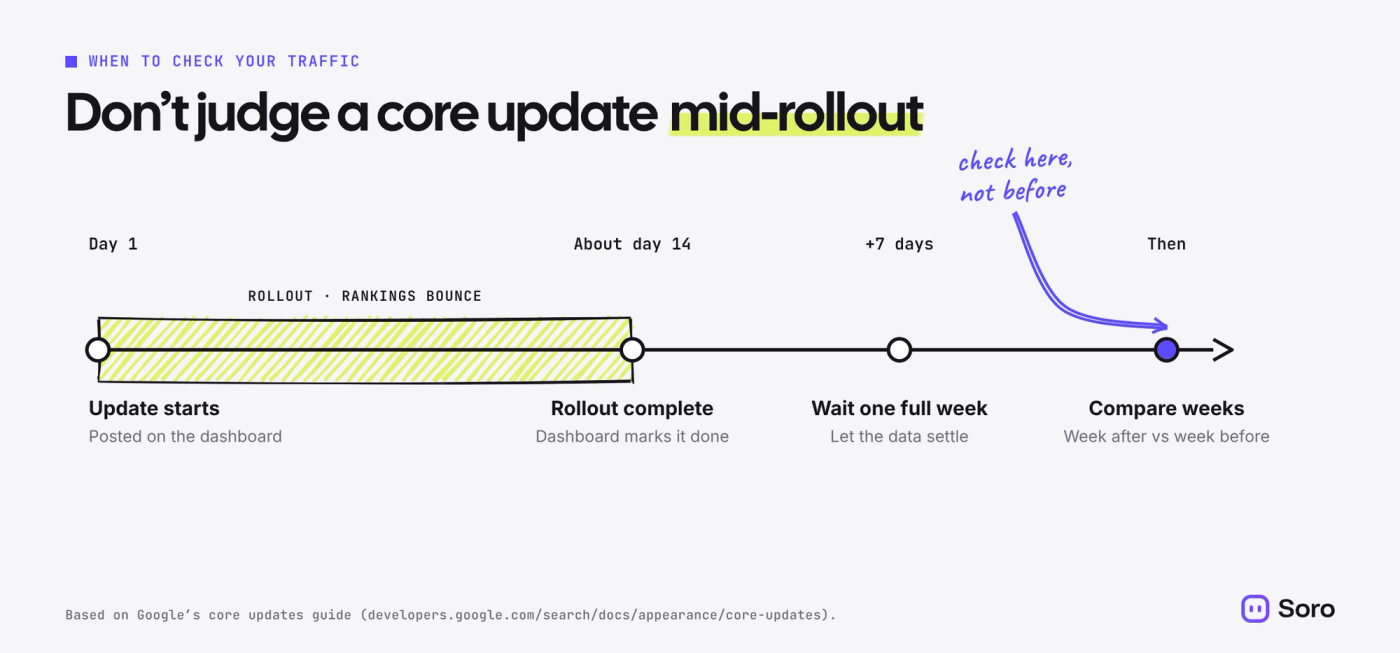
Here’s how to run that comparison in Search Console:
- Open the Performance report for search results.
- Edit the date filter and choose Compare.
- Set one range to the full week you’re checking and the other to the week before the update began, then click Apply.
- On the Queries and Pages tabs, look at the Difference column to see what moved.
Search Console’s help on comparisons suggests weekly or monthly views, so weekday swings don’t skew the result.
Then size the drop. Google’s guide calls a slip from position 2 to 4 a small drop that needs no drastic action. A fall from position 4 to 29 is a large drop worth a deeper look.
Core Update or Something Else? How to Tell What Hit You
Not every traffic drop is a core update. Before you blame Google, match the timing and the symptoms:
| What you see | Likely cause | Where to check |
|---|---|---|
| Rankings shift across many pages, starting on an update’s date | Core update | Search Status Dashboard |
| Pages built on thin, copied or mass-produced content drop hard | Spam update or manual action | Manual actions report in Search Console |
| A page disappears from Google entirely | Technical problem, like a noindex tag or broken page | Page indexing report in Search Console |
| Traffic dips at the same time every year | Seasonality | Same weeks last year in Search Console |
| Fewer map calls, but website traffic is steady | Local ranking change | Google Business Profile performance |
Say you run a plumbing company in Austin and calls dip the week of November 16. If calls dipped the same week last year, that’s probably the season, not Google. If they didn’t, and your service pages slid down after November 10, the core update is the likelier cause.
The Biggest Core Update Myth: “I Got Penalized”
A drop after a core update isn’t a penalty. Penalties exist, but Google calls them manual actions, and they show up in the Manual actions report in Search Console. A core update is the restaurant list again: your page slipped because others now look more useful for that search.
The second myth is that core updates punish AI content. Google says it judges content on whether it’s helpful, not on how it was made. What it does act against is content mass-produced mainly to manipulate rankings, whether a person or AI wrote it. Our look at whether Google penalizes AI content covers the evidence.
Our take: treat a core update as feedback on your pages, not a verdict on your business.
How Core Updates Hit Local Businesses, Stores and AI Answers
Core updates change who ranks in regular search results, and that reaches further than the blue links:
- Local businesses. Map results are ranked on relevance, distance and prominence, so they don’t always move with your website. Check your Business Profile separately. Our guide to ranking higher on Google Maps covers what drives them.
- Online stores. Core updates often land near busy seasons. The November 2026 update started 17 days before Black Friday, so holiday sales can hide a drop or fake a recovery. Compare with the same weeks last year.
- AI answers. Google says AI Overviews and AI Mode rely on the same SEO basics as regular results. We expect pages that gain or lose ground in a core update to be cited more or less in AI answers too, though Google hasn’t shared data on it.
- Agencies. Expect client questions the week an update starts. Send a short note: what it is, when you’ll review the data, and why you’re not changing anything yet.
What It Means for Soro Customers
If you use Soro, you don’t need to change anything when a core update rolls out. Soro keeps researching keywords and publishing articles on the questions your customers search for. Google’s guide favors steady, meaningful improvements over quick fixes, and steady publishing is what Soro handles.
The one thing to check: make sure your website is connected and your latest articles are live. And don’t delete published articles in a panic, since Google calls deleting content a last resort. If you use Soro Local, keep your Google Business Profile active while search settles.
What to Do Next
Here’s the routine for this core update and the next one:
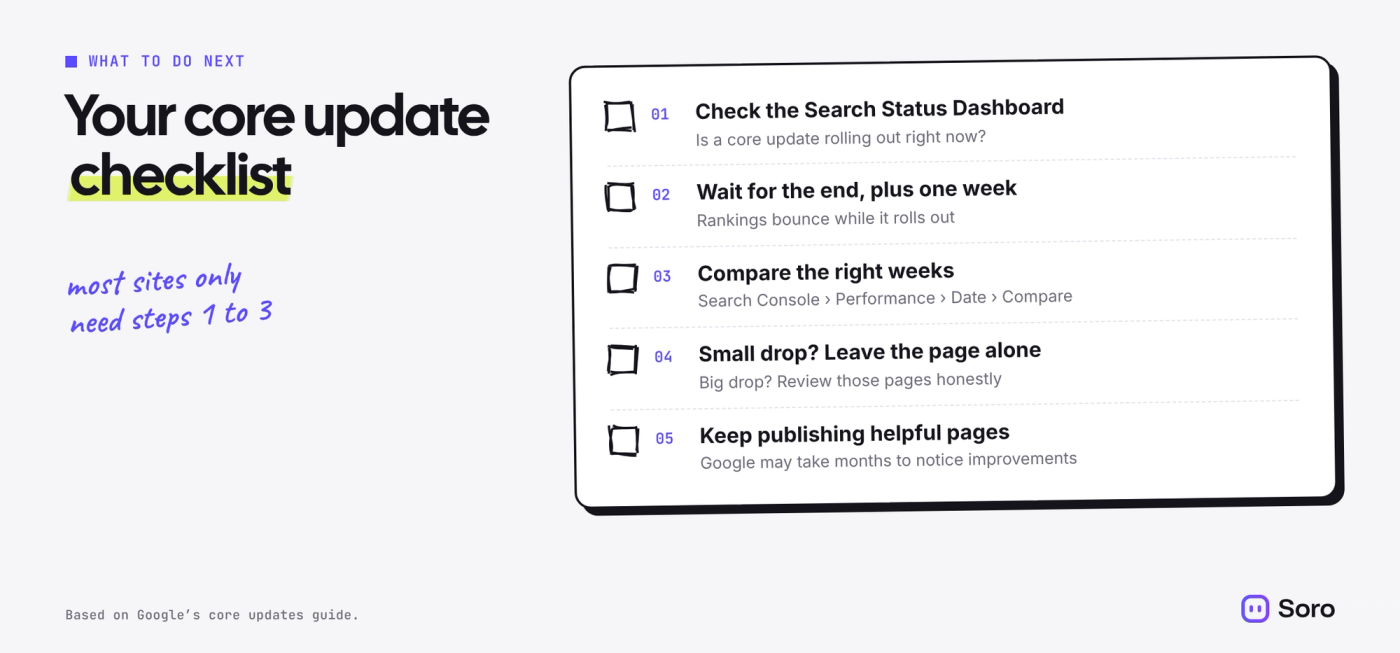
- Check the dashboard before you change anything. If a core update is rolling out, note its start date and leave your pages alone for now.
- Wait, then compare the right weeks. Use the week after the rollout ends plus seven days, against the week before it started. If your business is seasonal, compare with last year too. Our guide to measuring SEO ROI shows which numbers to track.
- Leave small drops alone. Rewriting a page that slipped a couple of spots risks breaking what already works.
- Review big drops honestly. Go through the pages that lost the most using Google’s helpful content questions. Do they answer the search better than the pages that now outrank them? Our guide on writing content that ranks walks through it.
- Keep publishing helpful pages. Google says improvements can take months to show, sometimes until the next core update. Consistency beats quick fixes, and if staying consistent is the hard part, Soro can research, write and publish for you.
FAQ
What Is a Google Core Update in Simple Terms?
It’s a broad change to how Google ranks all websites. It doesn’t target specific sites. Google reassesses which pages are most helpful for each search, so some pages rise and others fall.
How Often Does Google Do Core Updates?
Usually 3 to 4 times a year. Google confirmed 10 between March 2024 and November 2026, plus smaller core updates it doesn’t announce.
How Long Does a Core Update Take to Roll Out?
Usually about 2 weeks. Since August 2024, confirmed core updates have taken 6 to 24 days to finish, according to Google’s Search Status Dashboard.
How Do I Know If a Core Update Affected My Site?
Wait until the rollout ends, plus one full week. Then compare that week with the week before the update started in Search Console. A broad shift across many pages that lines up with the update dates points to the core update.
How Long Does It Take to Recover From a Core Update?
It varies. Google says some changes show within days, but it can take several months, sometimes until the next core update. There’s no guaranteed recovery.
Is the November 2026 Core Update Finished?
Not as of November 15, 2026. It started on November 10, and Google said it may take up to 2 weeks. The Search Status Dashboard will mark it complete when it’s done.