
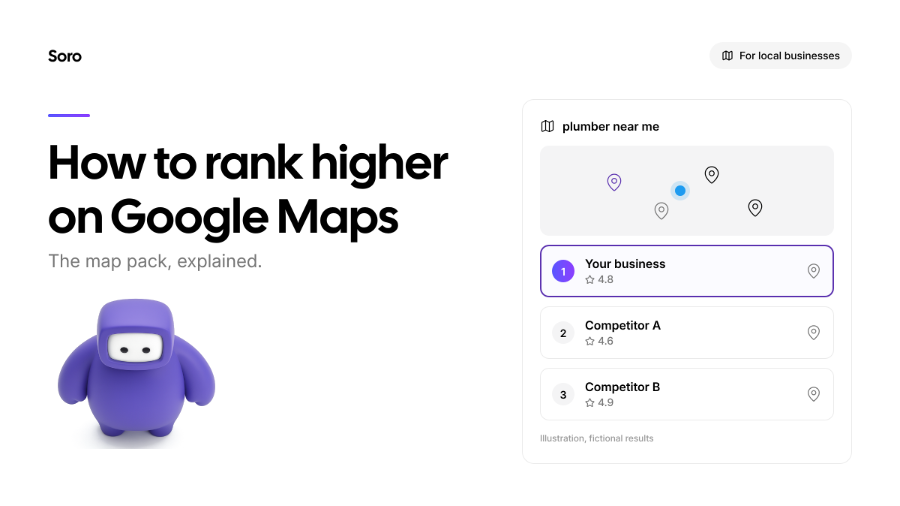
The Google Maps ranking is important because it decides which 3 businesses show up in the highlighted box when someone searches for a local service. That box is called the Map Pack, and it’s often the first thing a local customer sees after the search, and sometimes the only thing they really pay attention to. Our guide will explain, in simple terms, how Google picks who gets on the Map Pack, why your position changes based on the searcher’s location, how to check where you stand, and how to improve your ranking.
What Is the Map Pack?
Searches like “Plumber near me” or “Electrical services in Atlanta” are very common. When someone makes an input like that, Google often shows a map with a short list of businesses above the regular results.
That’s the Map Pack, also called the Local Pack. While the same businesses and many more appear in a direct search on Maps, getting featured on the Pack helps your brand get way more clicks through regular SERPs.
Google describes the goal of the Pack plainly: it “tries to show customers the kind of nearby business they'd like to visit”. Now that that’s out of the way, let’s learn why the search engine picks one business over another.
How Google Maps Ranking Works
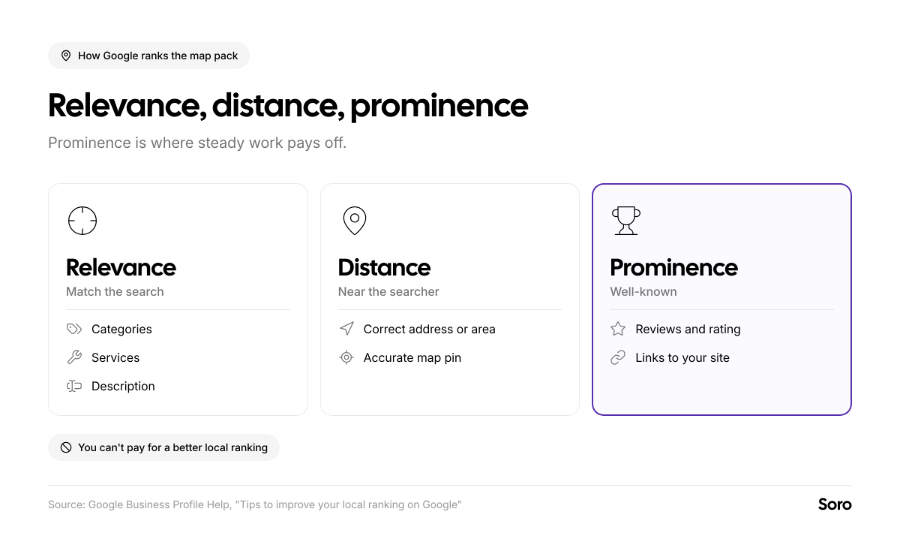
Google says local results are “mainly based on relevance, distance, and popularity”. More specifically, Google labels them as relevance, distance, and prominence. (Google) Allow us to explain:
- Relevance is how well your business matches the search intent. Having complete and detailed profile info is the main helper.
- Distance is your physical proximity to the searching customer. You can’t change the ranking in this regard unless your area expands.
- Prominence is how well-known your business/brand is, based partly on external links to your website, and how many reviews you have.
Google leaves no room for interpretation on two things:
- Exact ranking criteria are kept private
- There’s no way to request or pay for a better local ranking
Still, understanding the criteria matters for good SEO, so Whitespark did some research. In their 2026 Local Search Ranking Factors survey of local SEO experts, it was listed that the TOP 5 factors impacting Google Maps ranking were:
- Primary Category
- Distance to the Searcher
- Keywords in the Business Name
- Physical Address in the Searcher’s City
- Being Open at the Time of Search
They line up with Google’s trio, but be mindful that this short list is just an expert’s opinion, not official data. The visual chart below illustrates everything well:
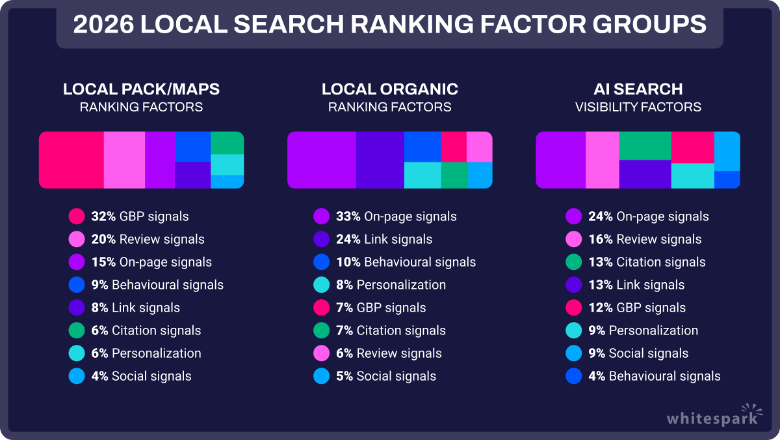
Image source: Whitespark: 2026 Local Search Ranking Factors
One warning about the 3rd factor (Keywords in the Business Name). They can help if your real name includes them, like “Lakeside Plumbing Co.” Adding keywords that aren’t part of your real brand name breaks Google’s rules. It’s actually a common reason why certain pages get suspended.
Why Your Map Pack Position Changes by Location
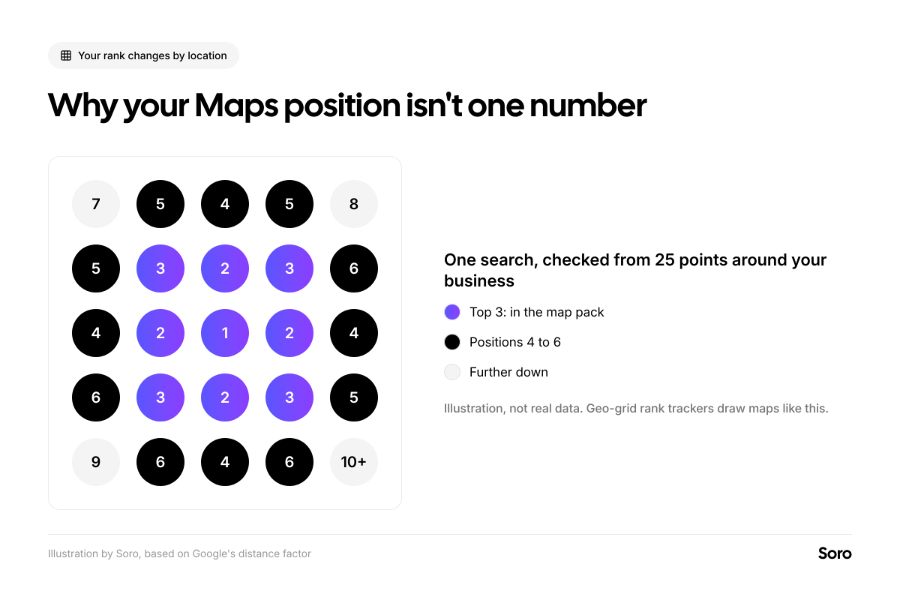
As we mentioned, distance is one of the key factors in deciding which results to show the user. So there’s no universal Map Pack ranking guide, since results change depending on where the searcher is. Google notes that if a customer doesn't share their location, "Google uses what it knows about their location" instead. According to Whitespark’s analysis, which we cited earlier, experts in the field rank distance to the searcher as the 2nd most important factor for Map Pack ranking.
This means that your business might come up 3rd for someone who’s a few streets down, and absent for someone from across town. Opening hours have an impact, too, as being open at the time of the search is within the TOP 5 of most impactful criteria.
How to Check Your Map Pack Position
Small business owners often wonder how to rank on Google Maps, and what their current position is.
You can’t just make one search from the workplace and learn everything. It’s a bit more complicated. We recommend using these 3 views together to get a clearer picture of what your situation is like:
- Search from a Couple of Real Places. Look up your main service (e.g., BMW repair in Riverside) on your phone from different parts of the area. Do separate searches in Google Maps and in regular Search. Log your positions with each search.
- Analyze Your Business Profile Performance. Google will show you data like: website clicks, views, calls, and direction requests. What’s also useful is the “search terms people used to find your business.” This updates monthly, so you should track the trends each month.
- Use a Geo-Grid Rank Tracker. These tools check one search from multiple places around your business. They color each point by your position (just like in the illustration above). They’re the clearest way to see how far your brand reaches and how impactful the optimization really is.
Track the rankings on a handful of searches that bring in real customers. Look at trends over months, not day-to-day swings. Our guide to SEO metrics that matter covers which numbers to watch. This will help you know what to work on to rank higher. Speaking of which.
How to Rank Higher on Google Maps
Whenever you’re trying to work out how to rank higher on Google Maps, start with the basics. Your category, opening hours, photos, and other details on the profile should already be right. Setting that up isn’t all that hard, and our Google Business Profile optimization checklist covers it in more detail.
Since moving shop closer to every person searching is out of the equation, the factor where you can make the most impact is prominence. These 5 things build it, with explanations below:
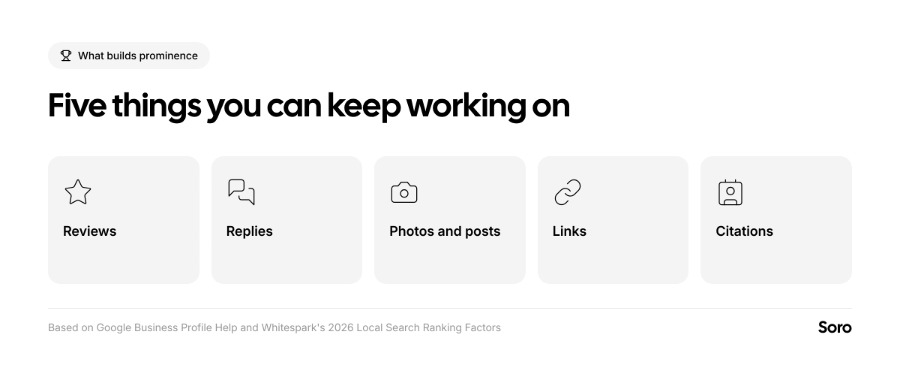
- Reviews. Google says, and SEO experts agree, that “more reviews and positive ratings can help your business’s local ranking”. WhiteSpark’s experts noted that review recency (11th) and a steady flow of reviews instead of bursts (14th) are in the TOP 15 of factors. You should always ask every customer for a review every time you complete a job. Our guide to creating a Google review link shows where to start.
- Replies. Responding to reviews can help your business stand out, according to Google. While experts rank replies only as the 122nd most-important factor out of 187 total, customers do notice and appreciate them.
- Photos and Posts. Google also recommends adding photos and videos for your Business profile. While post frequency is a low-impact factor, having genuine visual elements is a true conversion helper. Plus, an active profile helps people choose you. The guide to Google Business Profile posts has examples.
- Links. They are a part of profile prominence. For locally relevant websites, links are labeled as the 27th most-impactful element. Local sponsorships, suppliers, paid blogs, and trade associations are good places to start. We also have insights for small businesses on doing link building without a budget.
- Citations. Make sure that your business’s name, address, and phone number (NAP) are identical not just on Google but also on Bing, Apple Maps, and other directories. WhiteSpark lists consistency on Google, Bing, and Apple Maps as the 28th of 187 Map Pack factors in terms of importance.
Most of these things are ongoing work. You’ll see new reviews, wait for answers, add photos from recent jobs, and post updates to attract more customers for specific deals and whatnot. If you want it to keep running without slipping up, Soro Local is one option. This tool can auto-manage your Google Business Profile by publishing posts regularly and even replying to reviews.
What Can Hurt Your Google Maps Ranking
We already talked about potential ways to improve your position. But there’s also the flip side of that coin – mistakes. Some cost more than any tactic gains. In Whitespark’s survey, experts listed the following four as the biggest risks:
- Stuffing keywords in the business name
- Buying or encouraging fake reviews, or only asking for reviews from happy customers (Review Gating)
- A P.O. box, mail store, or virtual office used as an address
- Marking the wrong primary category or being marked as closed when you’re open and vice versa.
Rankings here need time to move. You need to have realistic expectations in order to maximize results from any SEO-related effort. Our post on how long SEO takes sets realistic timeframes for how long everything takes.
Short Summary
Since you can’t pay your way to better Maps ranking positions, you have to focus on consistent efforts that have a positive impact on SEO prominence or relevance. Maintaining your Google Business Profile (GBP) is the best way to get started. Replying to reviews, posting updates, and checking every profile section goes a long way to show both regular searchers and Google that your profile is worth placement in the Map Pack.
That said, don’t forget your position in the Pack can vary greatly depending on where you search from.
FAQ
How Do I Get My Business into the Google Map Pack?
The best way is to do the most important things early: choose the most accurate primary category, make sure your NAP details are complete and accurate, and verify your profile.
Why Do My Customers See a Different Google Maps Ranking Than I Do?
Because Google factors in the location of every searcher. If they’re closer to your competition, it might be a higher-ranked result, even if you rank first in regular SERPs.
Can I Pay to Rank Higher on Google Maps?
No, there’s no paid way on how to rank higher on Google Maps. Ads don’t change your unpaid position; real results depend on prominence, distance, and relevance.
How Often Should I Check My Map Pack Position?
Once per month should be sufficient for most SMBs. Track the same few searches from multiple relevant places so the trends are easy to compare.