
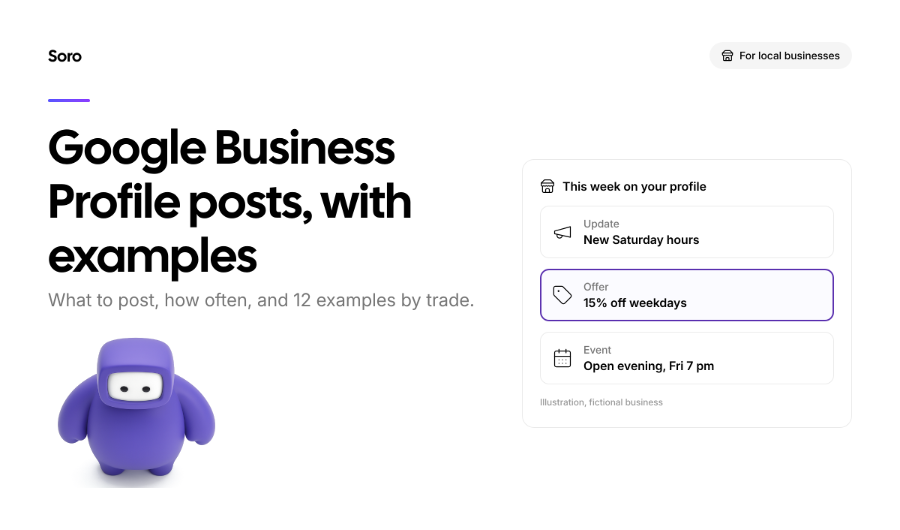
Google Business Profile posts are short updates, appearing on your listing in Google Maps and Google Search. It can be a new service announcement, a seasonal promotion, an event, or even an overview of a job you finished. Google says posts help potential customers by providing information that can influence their decision to visit or call. They work the same for pretty much every service niche, starting with roofers, ending with landscapers, florists, or anyone in between.
Our guide will cover the 3 available post types, explain what to write, how often to post, and the right image size. We’ll also give 12 examples of what to share, which you can adapt in minutes, and share a tip on how you can automate the posting.
The 3 Types of Google Business Profile Posts
When you want to create a post on your Google Business Profile (GBP), you will need to pick one of three types:
- Update: a description, a photo or video, with an option to add an action button with a link. It’s best used for news announcements, tips, introducing new products/services, and before-and-after for jobs.
- Offer: requires a title, start and end dates, and times. Offers automatically get a “View Offer” button. The business can add coupon codes, links to a detailed landing page, and terms.
- Event: add a title, plus start and end dates/times. If you don’t set a time, Google defaults to a 24-hour period.
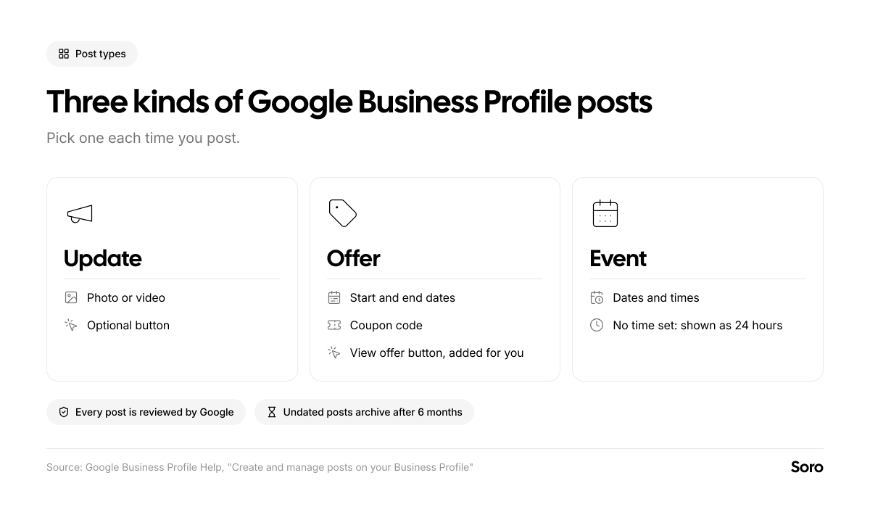
Image source: Soro (original graphic, based on Google Business Profile Help)
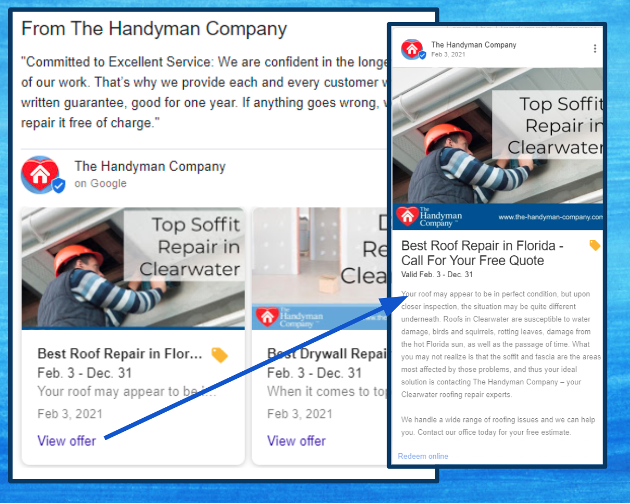
Below is a real offer post example from The Handyman Company. It was captured by Sterling Sky in 2021,
An Offer post example from The Handyman Company is a good reference. It was captured by Sterling Sky in 2021. While not the freshest example for Google posts, it accurately portrays how an Offer looks with the dates and the automatic View offer button:
It’s worth mentioning that every business can schedule Google My Business posts ahead of time. They can set them to repeat weekly, monthly, or even post on several profiles at once, which is extremely useful if you manage multiple locations. (Source: Google Business Profile Help)
What to Post on Google Business Profile
The best Google posts answer a question customers have right before they choose you. Thus, you need to know or accurately predict why they’re looking for you. A simple system helps you meet this criterion. Focus on things like: Is this place open? What's new? Is there a deal? Did they do a good job for someone like me?
We recommend thinking about each post the way you’d think about a landing page’s SEO, hoping it would rank. It should answer a real question in plain words. Five reliable themes you can always fall back on:
- Recent work. Share a before & after shot/collage with 2 lines about the job. This is the closest thing to a portfolio most local businesses have.
- Something new. Share new opening hours, introduce a new service, a new team member, even new equipment or a new address.
- Seasonal timing. Winter tire swaps? Spring cleaning? Spring break bookings? Holiday season decoration craze? Post well before the season, not during it.
- A genuine offer. Keep it simple and time-limited. Make sure it’s a genuine deal, not something artificially thrown together.
- A useful tip. One practical short tip, related to your trade. Don’t forget an easy next step that the user can follow up with.
Keep each post to one idea. Also, always use real photos of your work and team. In an analysis of 1,000 Google posts from a few years back, Sterling Sky found that posts without stock visuals got 5.6x more clicks. Posts with titles got almost twice as many.
What Gets a Post Rejected
You should know that not all Google Business Profile posts are accepted. Some recurring mistakes cause rejections. These are the 4 mistakes to avoid:
- Phone numbers in the text. Posts with your phone number in the description "might get rejected if they cannot be verified" (Google). Google’s policies extend that to the email address and social media links, too. They recommend using the integrated “Call Now” button instead.
- Offers from hotels. Interesting caveat – hotels and accommodation services can’t post “offers” or mention deals.
- Product/service details in regulated industries. Alcohol, tobacco & vaping, gambling, financial services, guns & weapons, healthcare & pharmaceuticals, and a few others are regulated industries on here. They can post, but without content about regulated products/services.
- Low-quality content. This is the most important one. Google warns users to watch out for misspellings, extra characters, text that adds no genuine value, auto-generated, or distracting content. It can get rejected.
Every post is reviewed after you publish it. The status shows: Live, Pending, or Not Approved, helping you see the real status.
12 Google Business Profile Post Examples by Trade
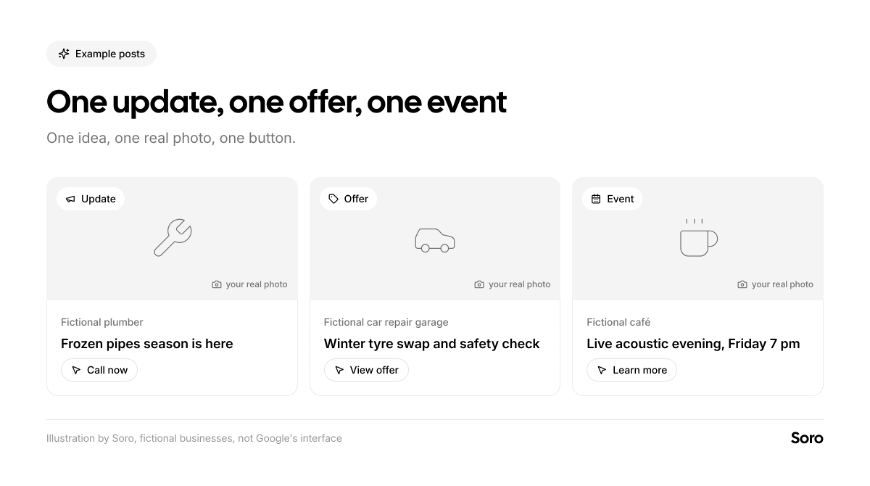
Theory is great, but it can only get you so far. In service businesses, regardless of trade, your work and results do the talking. This is why we decided to share 12 quality examples of Google Business posts. Adapt them to your own business. Each one has a snappy headline, one idea, and one single button that suits best:
| Trade | Type | Post Text | Button |
|---|---|---|---|
| Plumber | Update | Frozen pipes season is here. Temperatures drop below zero next week. Three quick must do’s: insulate outdoor taps, keep the heating on low, know where your stop valve is. Burst pipe? We answer emergency calls 24/7. | Call now |
| Hair salon | Offer | Weekday color refresh: 15% off. Book any color appointment Monday to Wednesday this month and get 15% off. Mention this post when you book. | View offer (automatic) |
| Dentist | Update | Now open Saturday mornings. From November 15, we're open Saturdays 9:00–13:00 for check-ups and hygiene visits. | Book |
| Roofer | Update | Before and after: Full roof job in 2 days. Old concrete tiles out, new slate in, gutters replaced, site cleaned both evenings. Photo: the finished roof. | Learn more |
| Café | Event | Live acoustic evening, Friday 7 pm. [X] playing 7–9 pm. Free entry, seasonal drinks and fresh cardamom buns. | Learn more |
| Car repair garage | Offer | Winter tire swap and safety check. Swap to winter tires and get a free 20-point check: brakes, lights, battery, wipers. Valid until the end of the month. | View offer (automatic) |
| Electrician | Update | EV charger installs: what to expect. A quick survey, a fixed quote, and fitting in about half a day. Ask us anything. | Call now |
| Cleaning company | Update | Spring deep-clean dates are open. We've announced April dates for deep cleans: ovens, inside windows, behind appliances. | Book |
| Accountant | Event | Free Q&A: self-employed tax deadline. A 30-minute individual online session on the upcoming filing deadline. Bring your questions. | Sign up |
| Florist | Offer | Order holiday bouquets early. Pre-order by Thursday and choose your delivery slot. Seasonal bouquets, hand-tied in our shop. | View offer (automatic) |
| Gym or fitness studio | Update | New 8 AM class for early starters. 45-minute strength class on weekdays. Beginners welcome, experienced coach on every session. | Learn more |
| Landscaper | Update | Autumn tip: don't cut the lawn too short. Leave the grass slightly longer before winter to protect the roots. Now booking leaf clearance for November. | Call now |
How Often Should You Post on Google Business Profile?
Google doesn’t have any recommendations for frequency. No solid study found an ideal one, too. What Google does say is that Google posts older than 6 months are archived unless they have a date range.
This can give you a guideline for a practical minimum – a fresh post monthly or bi-monthly, at the very least, so your profile never looks abandoned.
Beyond that, always post when you have something worth saying. In the case of most businesses, that’s every week or two. It can be a finished job, a seasonal reminder, or an offer. As with everything SEO-related, consistency matters more than volume, as our look at content quality vs. quantity shows. Plus, Google’s option to schedule and repeat posts makes it easier to plan a month or a quarter in one sitting.
We understand that not everyone will have the time or energy to post every week. There’s a solution - Soro Local. It can post on your behalf regularly, so the profile always stays current without any hands-on micromanagement.
Google Business Profile Post Image Size
This is an important sub-section that a lot of guides might not pay too much attention to. While Google doesn't publish a separate Google Business Profile post image size manual, their general Business Profile photo and video specs are the best guide.
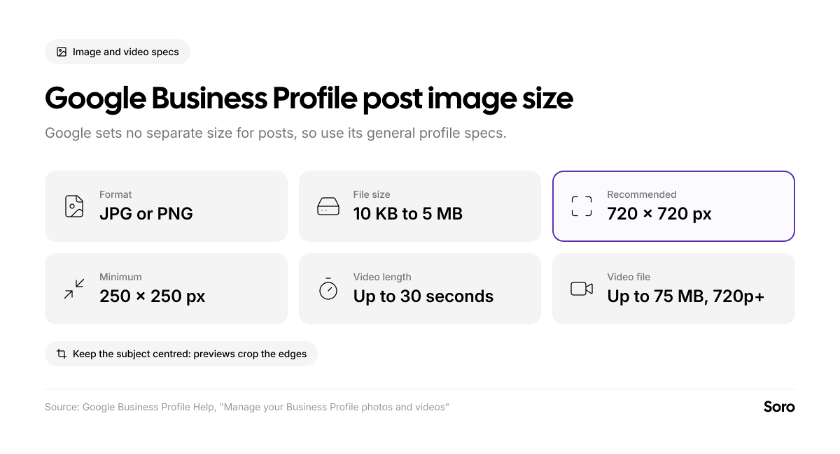
Keep the main subject in the center of the shot. Google doesn’t list a fixed aspect ratio for posts, so previews in Search and Maps can crop the edges. Experiment a bit until you find the right template.
The guidelines are less generous when it comes to text. The post editor allows up to 1,500 characters, but the first 2 lines are what people actually focus on the most.
Do Google Business Profile Posts Help Ranking?
The most accurate answer would be: probably not directly. It’s worth being upfront about that. Google’s own list of ways to improve a business’s local rankings covers: completing profile information, verification, getting reviews, and adding photos. They don’t mention posts. Whether you’re a plumber in Illinois or a carpenter in the London area, there are a few things you can take away:
- Expert opinion: a 2026 survey of 47 local experts by Whitespark listed the frequency of Google Posts as the No. 148 most-important factor of the 187 total.
- Testing: one test from Sterling Sky made weekly updates for 9 weeks across 3 listings and found no measurable impact on rankings in the local pack. It’s an old test, and small, too, but it’s the cleanest one out there to date.
- Risk: the aforementioned Whitespark survey lists keyword-stuffed post content as a factor that can hurt you.
Posts give the best ROI after someone finds you. If your profile has a recent offer, a fresh set of photos, and a clear button, you look active. That steers potential clicks to you, away from the competition. Still, the impact is modest, so set appropriate expectations. The visual below illustrates this:
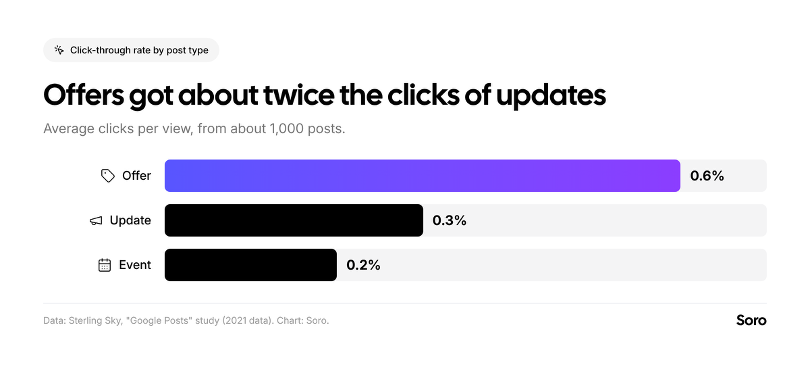
Image source: Soro (original chart; data from Sterling Sky)
Google is also rolling out per-post view reporting across Search and Maps, covering profile posts from the past 18 months. This feature helps you know which posts people actually look at.
Short Summary
All in all, posts work best as one part of a complete profile; the Google Business Profile optimization checklist covers other items which have a more noticeable impact. Set realistic expectations for this, and don’t prioritize generating Google Business Profile posts over consistent SEO work on your website. It’s a supplementary boost, not a foundational element.
Automate posting, if possible, to stay consistent, and use our listed templates if you get stuck on idea generation.
Worth a further read:
- Local SEO guide for small businesses – if you want to achieve better ranking positions on SERPs.
- How to rank higher on Google Maps – if you rely on local searches and want clientele from a specific area.
FAQ
What Should I Post on My Google Business Profile?
Anything that’s new (hours, services, equipment, team), recent work examples with photos, seasonal reminders, time-limited offers, and practical tips. One idea per post with one button.
How Often Should I Post on My Google Business Profile?
There’s no set rule or conclusive research on the most effective range. Every week or two is most realistic. Overall, consistency matters more than volume.
Do Google Business Profile Posts Help Ranking?
There’s no direct evidence for this. Google’s own ranking guidance doesn’t mention them, and experts rank post frequency as a low-impact factor. Their value is helping users find who to contact.
What’s the Optimal Image Size for Google Posts?
The best reference is guidance for Google Business Profile post image size. The search engine recommends 720x720 px in JPG or PNG format, between 10 KB and 5 MB. Keep the subject centered.