
You built your Wix site, it looks great, and now a quote for “monthly Wix SEO” is sitting in your inbox. Is $800 a month normal? And how much of it is work Wix already does for you?
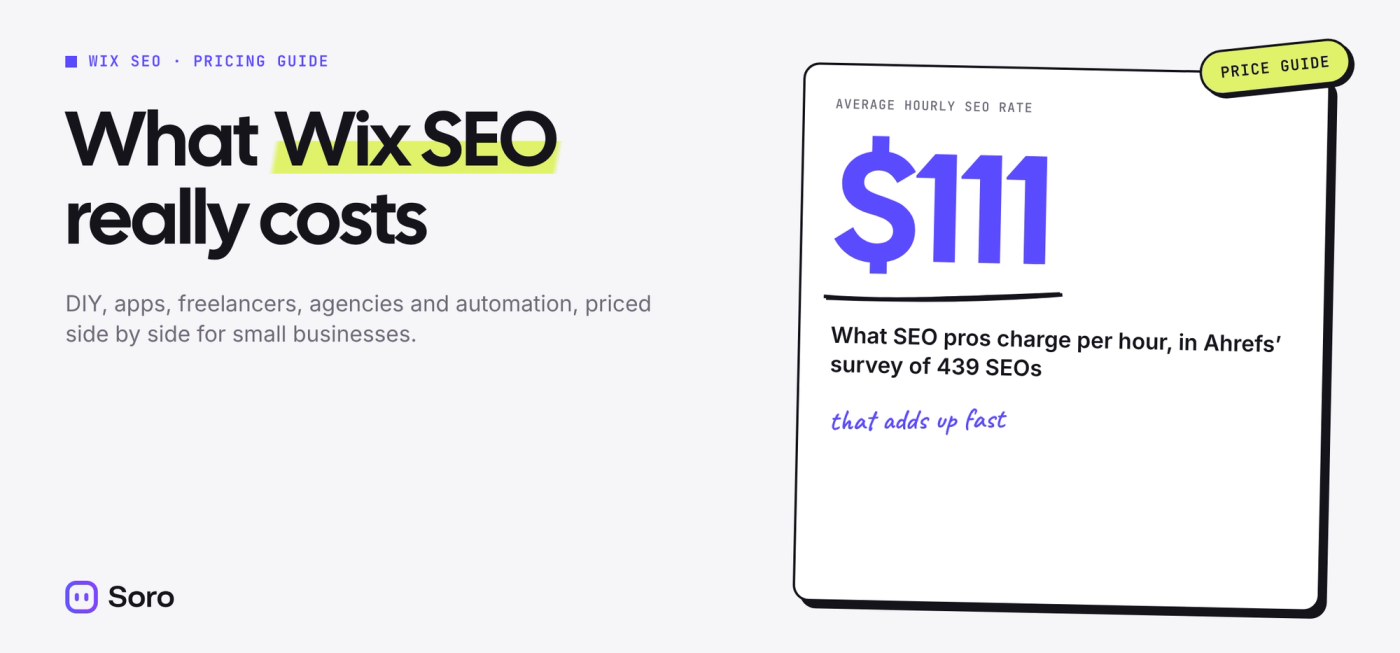
Wix SEO cost starts at $0 extra. The SEO tools are built into every Wix site, and a premium plan (from about $17 a month on yearly billing) lets you connect your own domain and Google Search Console. Paying for help is optional: in Ahrefs’ survey of SEO providers, the average hourly rate is $111 and local SEO averages $1,557 a month.
The short version: Wix already gives you the SEO tools, so what you really pay for is the ongoing work, mostly new pages and content, in either your time or your money.
Below: what each option costs, what Wix covers for free, what a fair quote looks like, a worked example for a hair salon, and a simple rule for picking by budget.
Wix SEO Cost at a Glance: 5 Ways to Pay
There are five ways to handle SEO on a Wix site. Most small businesses end up mixing two, like doing the setup themselves and paying for content.
| Option | What it costs | What you get | Best for |
|---|---|---|---|
| DIY with Wix’s built-in tools | $0 extra (premium plan from about $17/month, billed yearly) | SEO Setup Checklist, page SEO settings, sitemaps, redirects, structured data | Owners with 2–3 spare hours a week |
| SEO tools and apps | Free plans; paid tools from $29/month (Ahrefs Starter) to $139/month (Semrush SEO plan) | Keyword data, rank tracking, site audits | DIYers who want more data |
| Freelancer | $111/hour on average; Wix Marketplace SEO pros list starting prices of $75–$899 | A setup project or part-time monthly help | One-off setup and fixes |
| Agency | Most common retainer $501–$1,000/month; local SEO averages $1,557/month | Strategy, content, local SEO, reporting | Busy owners in competitive markets |
| Automated content platform | A flat monthly subscription | Keyword research, plus articles written and published to your Wix blog | Owners who know they need content but lack the time |
Freelancer and agency rates come from Ahrefs’ survey of SEO providers. Plan and tool prices come from Wix, Ahrefs, Semrush and the Wix Marketplace, checked in November 2026. Prices change often, so check before you buy.
What Wix Gives You for Free (It’s More Than People Think)
Is SEO free on Wix?
Yes. The core SEO tools come with your Wix site at no extra charge. You can edit titles, descriptions and URLs, manage redirects and robots.txt, and Wix creates your sitemap and basic structured data for you. What you pay for is the premium plan that lets you use your own domain and connect Google Search Console.
Wix’s SEO features page lists everything that’s included. These are the ones that matter most for a small business:
- SEO Setup Checklist. Answer 3 questions (your business name, whether customers visit you, and 3 keywords), and Wix walks you through getting found on Google.
- SEO settings on every page. Custom titles, meta descriptions, URLs, canonical tags and social previews.
- Sitemaps and robots.txt. Wix builds XML sitemaps, including images, and lets you edit robots.txt.
- Bulk 301 redirects. Import up to 500 old URLs at once from a CSV file, which is handy after a redesign.
- Structured data. Added automatically to product, event and blog pages.
- Google Business Profile integration. Manage your listing from the Wix dashboard.
There’s one catch. Wix’s help article on the SEO Setup Checklist says you need a premium plan and a connected domain to link Google Search Console. On a free Wix site, you can’t see your Google clicks.
Is Wix bad for SEO?
No. That reputation is years out of date. Wix now renders pages on the server, lets you edit robots.txt and redirects, and says it has raised the share of Wix sites passing all three Core Web Vitals in Google’s Chrome data 10x. Google’s John Mueller is quoted on Wix’s SEO features page: “Wix has been doing fantastic stuff for a number of years now.”
What decides whether a Wix site ranks is the same as on WordPress or Shopify: pages that answer what people search, a complete Google Business Profile if you serve a local area, and steady new content. The platform isn’t what holds most small sites back. An empty blog is.
What SEO Tools and Apps Cost on Wix
You don’t need a paid SEO tool to start. Wix’s SEO Setup Checklist includes keyword suggestions through a Semrush integration, and Google Search Console is free. Together they cover keyword ideas and real click data for most small sites.
If you want more data, here’s what the two market leaders charge on monthly billing, as listed on their pricing pages in November 2026:
- Semrush: a free plan with 10 reports a day. The SEO plan is $139/month, or $117.33/month billed yearly.
- Ahrefs: a free plan with limited data. Starter is $29/month, and Lite is $129/month.
Our take: a salon, clinic or local trade doesn’t need a $129+ tool on day one. Start with Search Console, and upgrade once you publish every week and run out of topic ideas. Apps from the Wix App Market bill separately from your Wix plan, so add each one to your monthly total.
What a Wix SEO Expert Costs (Freelancers vs Agencies)
How much does a Wix SEO expert cost?
Expect roughly $75–$150 an hour from an experienced freelancer, or $500–$1,500 a month on retainer for a small local business. In Ahrefs’ survey of 439 SEO providers, the average hourly rate was $111, and 1 in 10 charged more than $150 an hour.
The same survey gives you a fair-price benchmark for any quote:
- The most popular monthly retainer is $501–$1,000, charged by 20.4% of providers.
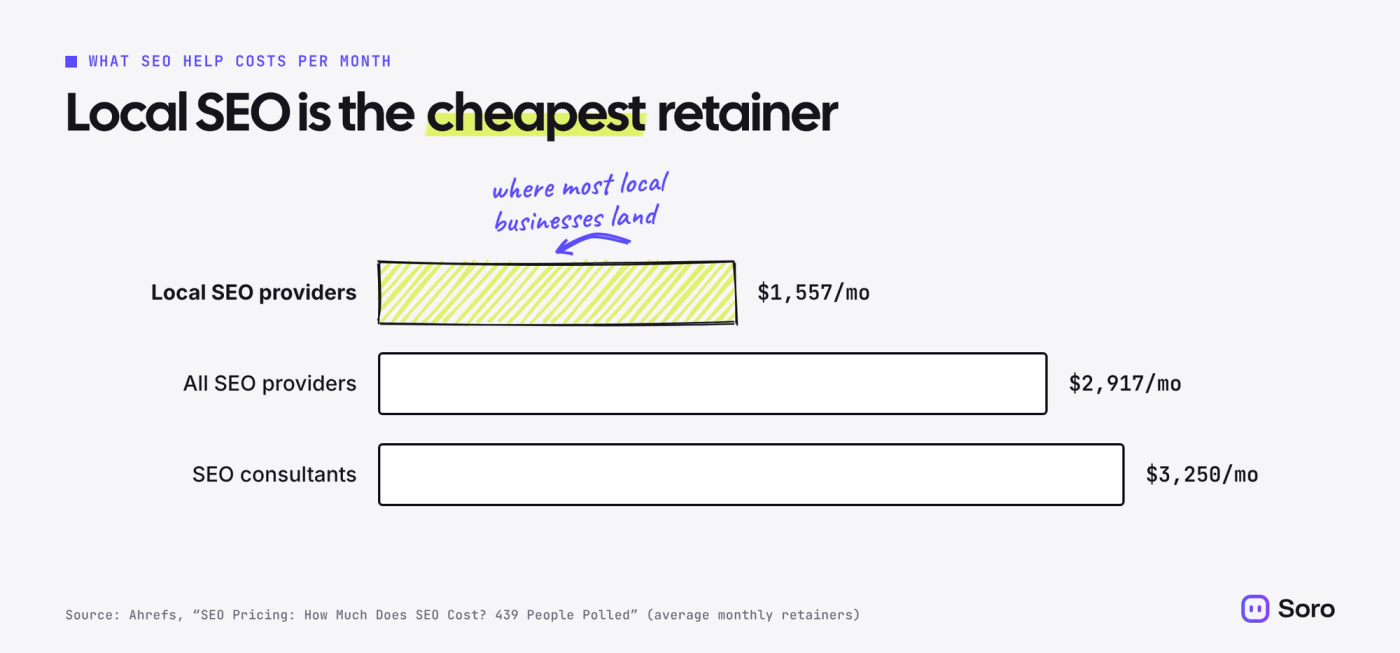
- Local SEO averages $1,557 a month, about half the $2,917 average across all SEO work.
- Agencies charge 138% more than freelancers, so expect about 2.4 times the price for similar work.
- 78.2% of providers bill a monthly retainer, so most quotes you get will be monthly, not one-off.
On the Wix Marketplace, Wix’s own directory of pros you can hire, the SEO specialists we checked in November 2026 listed starting prices from $75 to $899. Treat a starting price as the cost of a setup project, not ongoing monthly work.
What should a monthly Wix SEO retainer include?
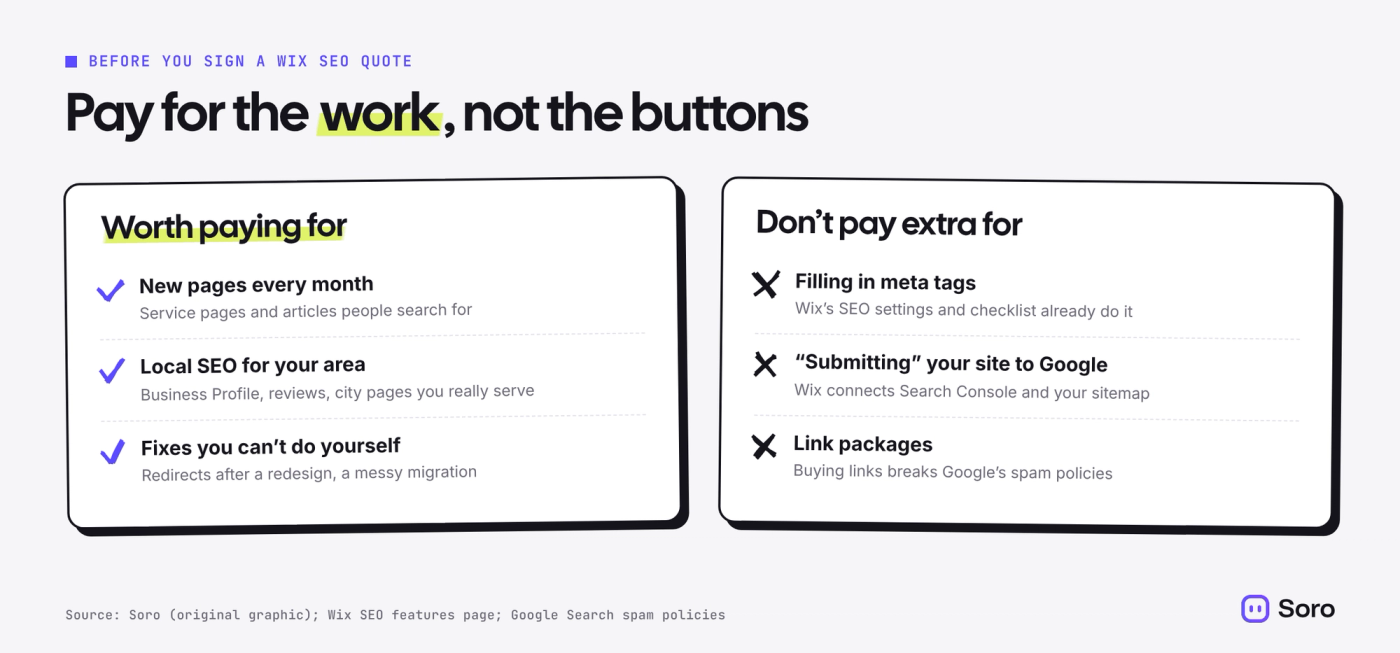
A fair retainer includes work you can see every month: new pages or articles, local SEO for your Business Profile, fixes you can’t do yourself, and a short report built on Search Console clicks. If the monthly list is mostly “optimization” and “monitoring” with nothing new published, you’re paying for buttons Wix already gives you.
Watch for two red flags: guaranteed rankings and link packages. Nobody honest can promise a position on Google, and buying links breaks Google’s spam policies, which can push your pages down or out of results.
Where Your Wix SEO Money Should Go: Content
The technical setup on Wix is mostly a one-time job: run the checklist, fix your titles, connect Search Console. After that, the work that moves rankings is publishing pages people search for, and it never really ends.
That’s why content is the biggest line item in almost every Wix SEO budget, whoever does it. You can write it yourself, pay a writer (our guide to outsourcing content writing covers real rates and quality checks), or automate it.
Whichever you choose, give it time. New pages usually take months, not weeks, to settle into rankings. Here’s how long SEO takes for a small business, with realistic timelines.
Worked Example: A Hair Salon Prices a Year of Wix SEO
Say you run a 3-chair hair salon in Columbus on Wix. You’re already on a premium plan, you have 40 Google reviews, and your site has a homepage, a price list and an empty blog. Here’s what the first 12 months could cost on each path.
| Path | Year-one cost | Your time | What you get |
|---|---|---|---|
| DIY | $0 on top of your Wix plan | 2–3 hours a week | Checklist done, service pages, posts when you find time |
| Freelancer setup, then DIY | One setup project ($75–$899 starting prices on the Wix Marketplace) | 1–2 hours a week | A clean setup and service pages; you keep publishing |
| Agency on a typical retainer | $6,012–$12,000 at $501–$1,000 a month | About an hour a month for approvals | Content, Business Profile work, monthly reports |
| Automated content | 12 months of a flat subscription | A few minutes a week to review | Articles researched, written and published to your Wix blog |
These are example figures, not quotes. A salon downtown competes with far more businesses than one in a small town, so it should expect to spend more time or money.
The salon’s real decision isn’t which path is “best”. It’s whether the owner has 2–3 spare hours a week. If yes, DIY plus Search Console goes a long way. If not, pay for the content and keep the Business Profile and reviews in-house: they take minutes, and Google says reviews help local ranking.
How to Pick a Wix SEO Option by Budget
Match your budget and your free time, not what a competitor pays. Use this rule:
| If… | Then… |
|---|---|
| You have $0 and 2–3 hours a week | DIY with the SEO Setup Checklist and Search Console |
| You have under $100 a month and no time | Automate the content; keep the Business Profile and reviews in-house |
| You have $500–$1,500 a month in a competitive local market | Hire a local SEO freelancer or small agency with monthly deliverables in writing |
| You run a large store or are moving a big site to Wix | Pay a specialist for the technical setup and redirects first |
| You’re not sure yet | Do it yourself for 90 days, then check Search Console before you spend |
How Soro Helps Wix Sites
Soro connects to your Wix site, finds keywords your business can rank for, then writes and publishes SEO articles to your Wix blog on a schedule, in 50+ languages. Thousands of Wix site owners already use Soro to keep their blogs growing without writing every post themselves. It’s built for one job, articles that rank, which is the part of Wix SEO that costs the most time. Wix handles the setup, Soro handles the publishing, and you keep your hours for customers.
What to Do Next
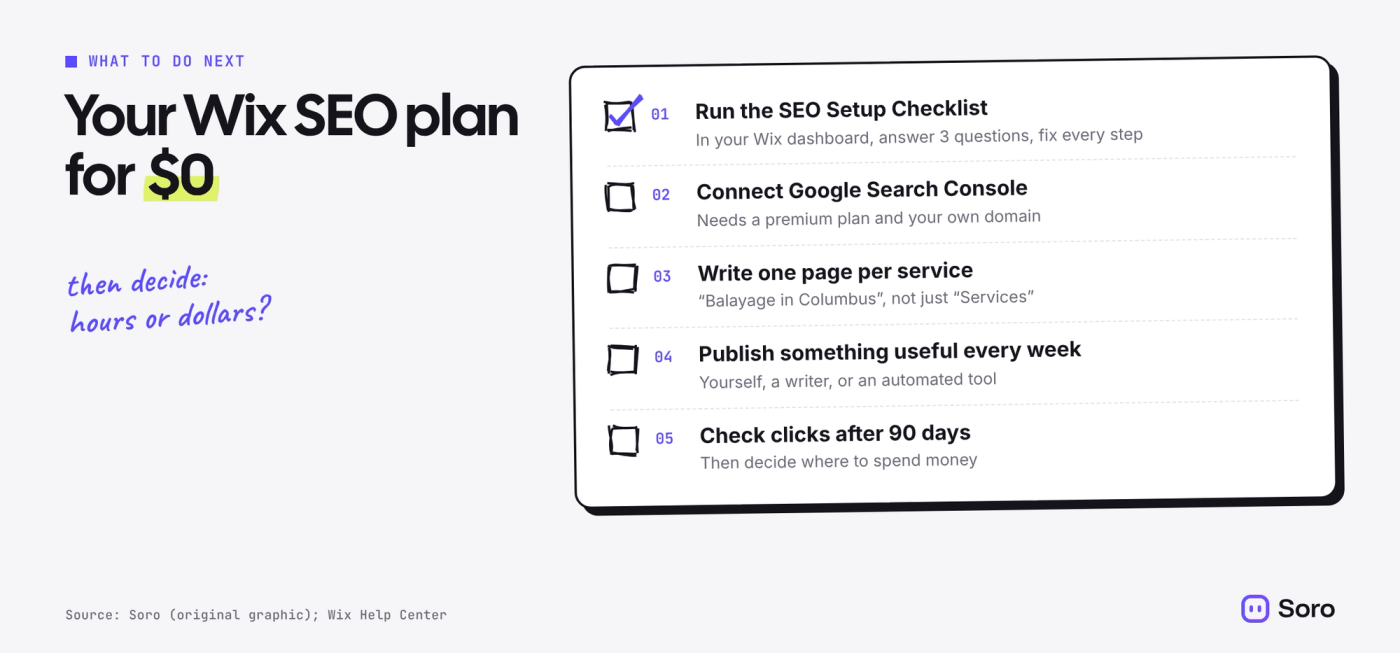
- Run the SEO Setup Checklist today. It’s free and walks you through getting found on Google. Then use our SEO checklist for new websites to cover what comes next.
- Connect Google Search Console. It needs a premium plan and your own domain, and it’s where you’ll see the searches that bring real clicks.
- Write one page per service. “Balayage in Columbus” beats a single page that lists everything you do.
- Decide: hours or dollars. If you have 2–3 hours a week, do it yourself. If not, get every quote in writing with monthly deliverables, and say no to link packages.
- Automate the content if time is the problem. Soro researches, writes and publishes articles to your Wix blog, so the most time-consuming part of Wix SEO runs on its own. Compare your options in our guide to auto SEO software.